





Telehandler downtime can delay truck unloading, material supply and daily construction work. This guide explains common telehandler problems, including no-start conditions, boom faults, hydraulic issues, overheating, warning lights, steering problems and brake problems.
Use this page for safe first checks only. It does not replace the operator manual, service manual, qualified technician, manufacturer maintenance schedule, site safety procedure or local regulations. Never bypass safety interlocks, warning systems, overload protection or attachment locks to keep a telehandler working.
For routine pre-shift checks, read the HAMAC telehandler safety checklist and daily inspection guide .
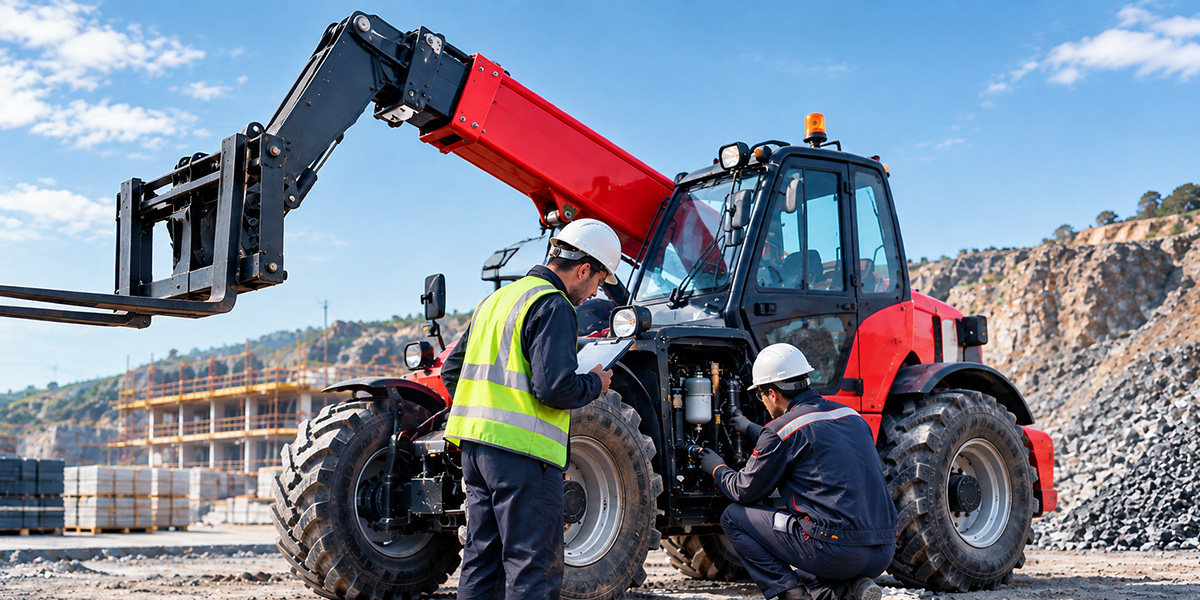
Park the telehandler on firm, level ground where possible. Lower the boom and attachment, apply the parking brake, keep people away from the machine and follow the shutdown procedure in the operator manual before inspection.
Do not place hands near suspected hydraulic leaks, moving boom sections, forks, attachment locks or rotating components. Pressurized hydraulic fluid can cause serious injury. If the telehandler has a brake, steering, boom, fork, attachment-lock or safety-system fault, remove it from service and report the problem.
A telehandler that will not start may have a battery, fuel, electrical, safety-interlock or engine-related problem. Check only visible and low-risk items before requesting service.
| Symptom | Possible Cause | Safe First Check |
|---|---|---|
| No crank or no dashboard response | Low battery, loose connection, main power issue, fuse, emergency stop or safety interlock | Check the emergency stop, dashboard messages, visible battery terminals and obvious wiring damage. |
| Engine cranks but will not start | Low fuel, fuel-system issue, sensor fault or active warning condition | Confirm fuel level, check warning indicators and record any fault code. |
| Starts then stops | Fuel supply issue, engine protection warning, electrical fault or safety-system condition | Check the instrument panel and stop repeated start attempts if warnings remain active. |
Do not jump safety switches, short electrical terminals or bypass seat, neutral-start or emergency stop systems. If the machine repeatedly fails to start, shows a persistent fault code, smells of burning or has damaged wiring, contact a qualified service technician.
Search terms such as “telehandler boom will not extend,” “telehandler boom will not retract,” “telehandler boom will not lift” and “telehandler low lifting power” often point to a hydraulic, control, load-limit or attachment-related condition.
| Problem | Possible Cause | Safe First Check |
|---|---|---|
| Boom will not raise, lower, extend or retract | Low hydraulic oil, visible leak, active warning, control fault, damaged hose or mechanical obstruction | Check for dashboard warnings, visible leaks, damaged hoses, unusual noise and abnormal boom movement. |
| Boom moves slowly or jerks | Hydraulic oil issue, restricted flow, overheating, air in the system or component wear | Stop work if movement is irregular; record the condition and inspect externally for leaks or damage. |
| Low lifting power | Load exceeds current load-chart capacity, incorrect attachment, excessive forward reach or hydraulic fault | Confirm actual load weight, pallet or stillage weight, attachment weight, boom position and load chart. |
| Hydraulic oil leak | Damaged hose, loose fitting, cylinder seal issue or external impact damage | Use visual inspection only. Do not touch, trace or block a pressurized hydraulic leak. |
The rated capacity shown in a telehandler model name is not available at every boom height and forward reach. Load weight, attachment weight, load centre, lift height and boom extension must match the official load chart for the exact telehandler configuration.
Do not operate the machine if the boom drops unexpectedly, jerks, makes severe noise, leaks hydraulic oil, has damaged hoses or cannot lift within the approved load chart. These conditions require inspection by qualified service personnel.
Telehandler overheating, repeated warning alarms or electrical problems should be investigated before the equipment returns to heavy work. Dust, plastic, mud, leaves and concrete residue can reduce airflow through the radiator and contribute to high engine or hydraulic temperature.
| Problem | Safe First Check | When to Stop Work |
|---|---|---|
| Engine or hydraulic overheating | Park safely, reduce load, allow the machine to cool as instructed, and inspect the radiator exterior for blocked airflow. | Stop if temperature warnings remain active, coolant or hydraulic oil is leaking, smoke appears or abnormal smells are present. |
| Warning light or alarm keeps beeping | Record the fault code, dashboard symbol, operating condition and time when the warning appeared. | Stop immediately for brake, steering, overload, stability, engine-oil-pressure or critical system warnings. |
| Electrical fault | Check visible wiring, battery terminals, lights and warning devices for damage or loose connections. | Stop if wiring is damaged, there is a burning smell, repeated fuse failure or safety devices do not operate correctly. |
Never open a hot radiator cap or add coolant to an overheated engine without following the operator manual. Do not clear fault codes or disconnect warning systems simply to continue operating.
Steering, brake and travel faults can affect the operator's ability to control or stop the machine. These problems require special attention on rough terrain, slopes, crowded construction sites and material yards.
| Problem | What to Check | Required Action |
|---|---|---|
| Telehandler steering problem | Check tyre condition, steering mode selection, visible leaks and dashboard warnings. | Stop work if steering is delayed, uncontrolled, misaligned or cannot change modes correctly. |
| Brake or parking brake problem | Test only in a clear, controlled area at low speed and without a load, following the operator manual. | Remove the telehandler from service immediately if service brakes or parking brakes are weak or inoperative. |
| Travel problem or vibration | Inspect tyres, wheels, ground condition, visible leaks and warning indicators. | Stop if there is severe vibration, unusual transmission noise, sudden loss of drive, smoke or burning smell. |
The HAMAC HT3510 3.5 ton 10m telehandler uses 4x4 drive with four-wheel and crab steering for rough terrain and restricted access routes. Operators should test travel, service brakes, parking brake, steering modes, boom functions and attachment locking before carrying a load.
Stop the telehandler, lower the attachment safely, isolate the machine according to site procedure and contact qualified service personnel if any of the following conditions are found.
| Stop Work Immediately If You Find | Why It Is Unsafe |
|---|---|
| Visible hydraulic leak, damaged hose or damaged cylinder | Hydraulic failure can cause uncontrolled boom or attachment movement. |
| Brake, parking brake or steering fault | The machine may not stop, steer or remain parked safely. |
| Cracked, bent or unsecured forks, boom, attachment or locking pins | The attachment or load can shift, fall or fail during lifting. |
| Unexpected boom drop, severe jerking, abnormal noise or uncontrolled movement | Possible hydraulic, mechanical or control-system failure. |
| Smoke, burning smell, critical warning or repeated fault code | Possible engine, electrical, hydraulic or safety-system damage. |
| Unreadable load chart or incorrect attachment configuration | Safe lifting capacity cannot be confirmed for the planned task. |
When requesting technical support, provide the telehandler model, serial number, operating hours, warning code, photos or video of the condition, current attachment, load information and a clear description of when the problem occurred. This helps the service team identify the correct next step more quickly.
For an independent overview of telehandler load capacity charts and boom-position limits, see JLG's guide to understanding telehandler load capacity charts .
Contact HAMAC for telehandler technical support, service consultation and spare parts information .
Заполните форму, и мы удовлетворим все ваши потребности, включая подбор оборудования, разработку решений, техническую поддержку и послепродажное обслуживание. Мы свяжемся с вами в кратчайшие сроки.